VoloMote
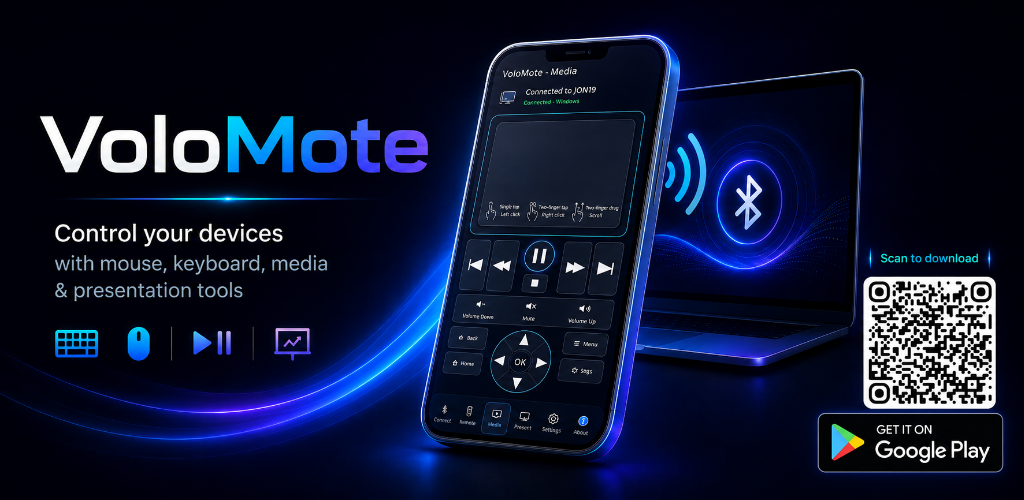
Now on Google Play
Download VoloMote for Android and start controlling compatible Bluetooth devices from your phone.
VoloMote
Available now on Google Play.
VoloMote turns your Android phone into a practical Bluetooth remote for everyday computer control. Using standard Bluetooth HID technology, it works like a wireless keyboard, mouse, media remote, and presentation controller without requiring companion software on your computer.
Connect to Windows, macOS, Linux, Raspberry Pi, and other compatible Bluetooth devices, then choose the controls that fit what you are doing.
Available now on Google Play
VoloMote is available for Android through Google Play. This page highlights the product, feature set, and screenshots for customers evaluating the app.
No desktop app required
VoloMote uses your computer’s standard Bluetooth keyboard and mouse support. Pair your phone, connect to the host, and start controlling it.
Key Controls
Mouse, keyboard, media, presentation, scanning, and automation tools in one app.
Touchpad Control
Move the pointer, click, drag, and scroll from your Android device using an intuitive touchpad layout.
Full Keyboard
Use text, numeric, function, navigation, and OS-specific keys without reaching for a physical keyboard.
Barcode + QR Entry
Scan barcodes or QR codes and automatically type the captured text into the connected host.
Voice Text + Clipboard
Use Android speech recognition or Paste to Host to enter longer text from your phone quickly.

Media + Presentations
Control playback, volume, track navigation, and slide movement from across the room.

Macros + Profiles
Create custom macro keyboards, save host profiles, and reconnect quickly to paired devices.
Full Feature List
- Touchpad with pointer movement, clicking, dragging, and scrolling
- Full on-screen keyboard with text, numeric, function, navigation, and OS-specific keys
- Barcode and QR code scanning with automatic text entry
- Voice Text using Android speech recognition
- Paste to Host for typing text from your phone’s clipboard
- Media controls for playback, volume, mute, and track navigation
- Presentation controls for moving through slides
- Custom macro keyboards for frequently used text, shortcuts, and commands
- Mouse Jiggler with adjustable timing and movement styles
- Optional Air Mouse controls (BETA)
- Hardware volume-button support for remote media and presentation control
- Saved host profiles for Windows, macOS, Linux/Raspberry Pi, and compatible smart devices
- Favorites, connection filters, and quick reconnection to paired hosts
- Configurable keyboard order, feedback, display, barcode, and connection settings
Use Cases
- Navigate a computer from across the room
- Control media playback and volume
- Present slides without a dedicated clicker
- Enter scanned barcodes and QR codes
- Use a Raspberry Pi without a dedicated keyboard and mouse
- Trigger frequent text, shortcuts, and commands with macro keyboards
Go Premium to remove advertisements and enjoy uninterrupted control.
App Screenshots
Controls for the way you work, present, scan, and navigate.
VoloMote FAQ
Quick answers before you pair.
Does VoloMote need desktop software?
No. VoloMote uses standard Bluetooth HID support, so there is no companion desktop application to install.
What devices can it control?
VoloMote is designed for compatible Bluetooth hosts including Windows, macOS, Linux, Raspberry Pi, and other devices that support Bluetooth keyboard and mouse input.
What makes it useful beyond a basic remote?
VoloMote includes keyboard, mouse, media, presentation, barcode scanning, voice text, clipboard paste, macro, profile, and reconnect tools in one app.
How can I request a feature?
Send VoloMote ideas, bug reports, compatibility notes, or enhancement requests through the Wagware contact form.
Support + Ideas
Have feedback for VoloMote?
Send feature requests, compatibility notes, bug reports, or product ideas through the contact form.
Follow Wagware Digital Solutions for product videos, tutorials, release previews, and app updates.
Subscribe to our YouTube Channel